
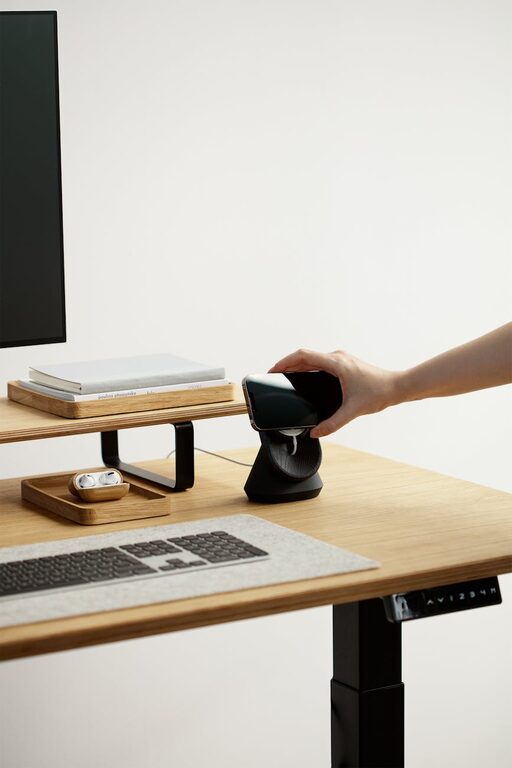
Creating a relaxing home workspace is essential in today’s world, where many of us spend a significant portion of our day working from home. A well-designed workspace not only enhances productivity but also promotes mental well-being. Whether you have a dedicated room or a small corner, transforming your area into a calming, organized, and inspiring place can make a big difference.
In this post, we’ll explore practical steps to build a relaxing home workspace tailored to your needs.
Why a Relaxing Workspace Matters
Before diving into how to create your space, it’s important to understand why relaxation plays a role in productivity. Stress and discomfort can negatively impact concentration and creativity. A calming workspace helps reduce anxiety, keeps you focused, and encourages a positive work attitude.
Now, let’s look at how to design such a space.
Step 1: Choose the Right Location
Selecting the best spot for your workspace is the first step. Ideally, look for a quiet area with minimal distractions.
– Natural Light: Position your desk near a window to benefit from natural light, which boosts mood and energy.
– Privacy: If possible, choose a corner or room where you won’t be frequently interrupted.
– Space: Ensure there’s enough room for your computer, supplies, and some personal touches.
Step 2: Invest in Comfortable Furniture
Your furniture plays a crucial role in both relaxation and productivity.
– Ergonomic Chair: Choose a chair that supports your back and encourages good posture.
– Desk: Select a desk with enough surface area for work essentials and comfortable legroom.
– Adjustable Options: Consider adjustable desks to alternate between sitting and standing, which promotes movement.
Step 3: Organize Your Workspace
Clutter can cause stress and distraction. Keeping your area tidy fosters a calm environment.
– Storage Solutions: Use shelves, drawers, or baskets to store documents and supplies neatly.
– Cable Management: Organize cables with clips or covers to avoid a tangle mess.
– Minimalism: Keep only what you frequently use on your desk to maintain clear space.
Step 4: Add Calming Colors and Decor
Colors influence mood significantly. Choose tones that make you feel relaxed and focused.
– Color Choices: Softer shades like blues, greens, or earth tones are ideal for calming effects.
– Plants: Incorporate indoor plants to enhance air quality and add a touch of nature.
– Personal Touches: Include artwork, photos, or inspirational quotes that make you happy but don’t clutter.
Step 5: Control Lighting and Sound
Proper lighting and sound levels reduce eye strain and distractions.
– Lighting: Combine natural light with soft, adjustable task lighting for consistency throughout the day.
– Sound: Use noise-canceling headphones or soft background music if necessary to block distracting noises.
Step 6: Establish a Routine and Boundaries
A relaxing workspace is also about how you use it.
– Set Working Hours: Define start and end times to create balance and avoid overworking.
– Breaks: Incorporate short breaks to stretch or move around, preventing burnout.
– Workspace Use: Try to use your workspace just for work to mentally separate tasks and relaxation.
Bonus Tips for Extra Comfort
– Aromatherapy: Consider using essential oils or candles to introduce soothing scents.
– Temperature Control: Keep your workspace at a comfortable temperature to avoid discomfort.
– Tech Tools: Use apps or timers that remind you to take breaks and stay organized.
Final Thoughts
Creating a relaxing home workspace is about blending comfort, organization, and a personal touch to foster productivity without stress. Remember, small changes can lead to big improvements in how you feel and work every day. Take your time curating a space that suits your style and needs, and enjoy the peace it brings to your work-from-home routine.
—
Try starting with one or two tips from this guide and gradually build up your ideal workspace. Your mind and body will thank you!